June 12th, 2026
New
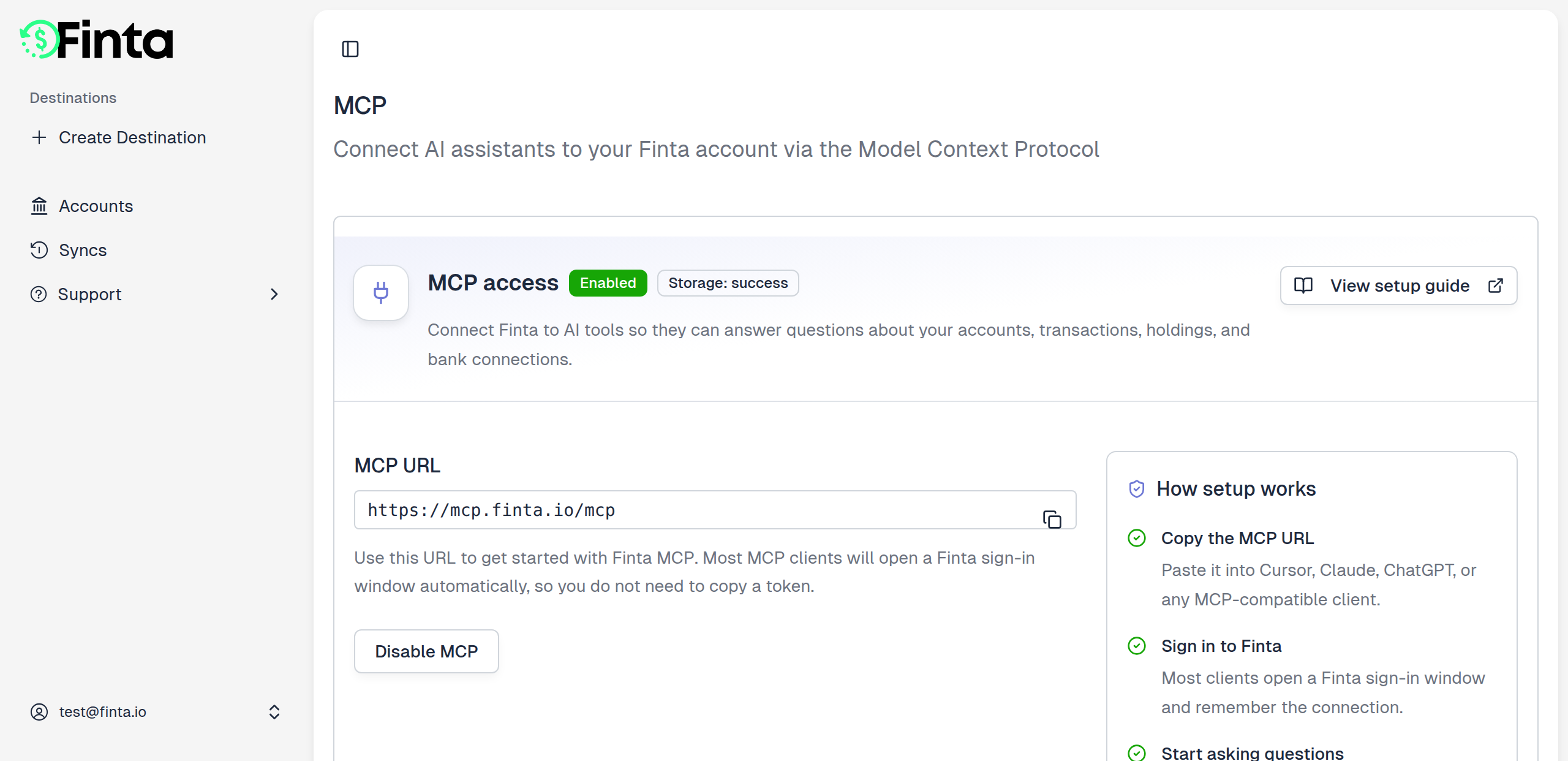
Finta now speaks the Model Context Protocol. Connect your account to Claude, Cursor, Codex, or any MCP client and ask about your finances in plain English — no exporting, no copy-paste.
MCP is the open standard that lets AI assistants securely connect to your tools. With the Finta MCP, your assistant can pull straight from the financial data Finta keeps in storage mode and answer questions about it instantly.
What you can do
- Ask in plain English — "What did I spend on software last month?", "Show my largest transactions this week", "How have my balances trended this year?"
- Read across your whole picture — accounts and balances, transactions and categories, balance history, holdings, and investment activity.
- Tidy up as you go — have your assistant categorize transactions and manage your spending categories for you.
- Use it where you work — Claude, Cursor, Codex, VS Code Copilot, and any MCP-compatible client.
- Stay secure — you sign in with OAuth, Finta never moves money, and you choose which accounts to share.
Get started
Open Settings → MCP in Finta and enable it — that turns on storage mode and backfills your connections automatically. Then add Finta to your AI client using the connection guide.
The MCP docs walk through setup for each client and list everything you can ask.
MCP is in beta — we'd love your feedback as you try it. Tell us what works, what's confusing, and what you want it to do next.
June 5th, 2026
New
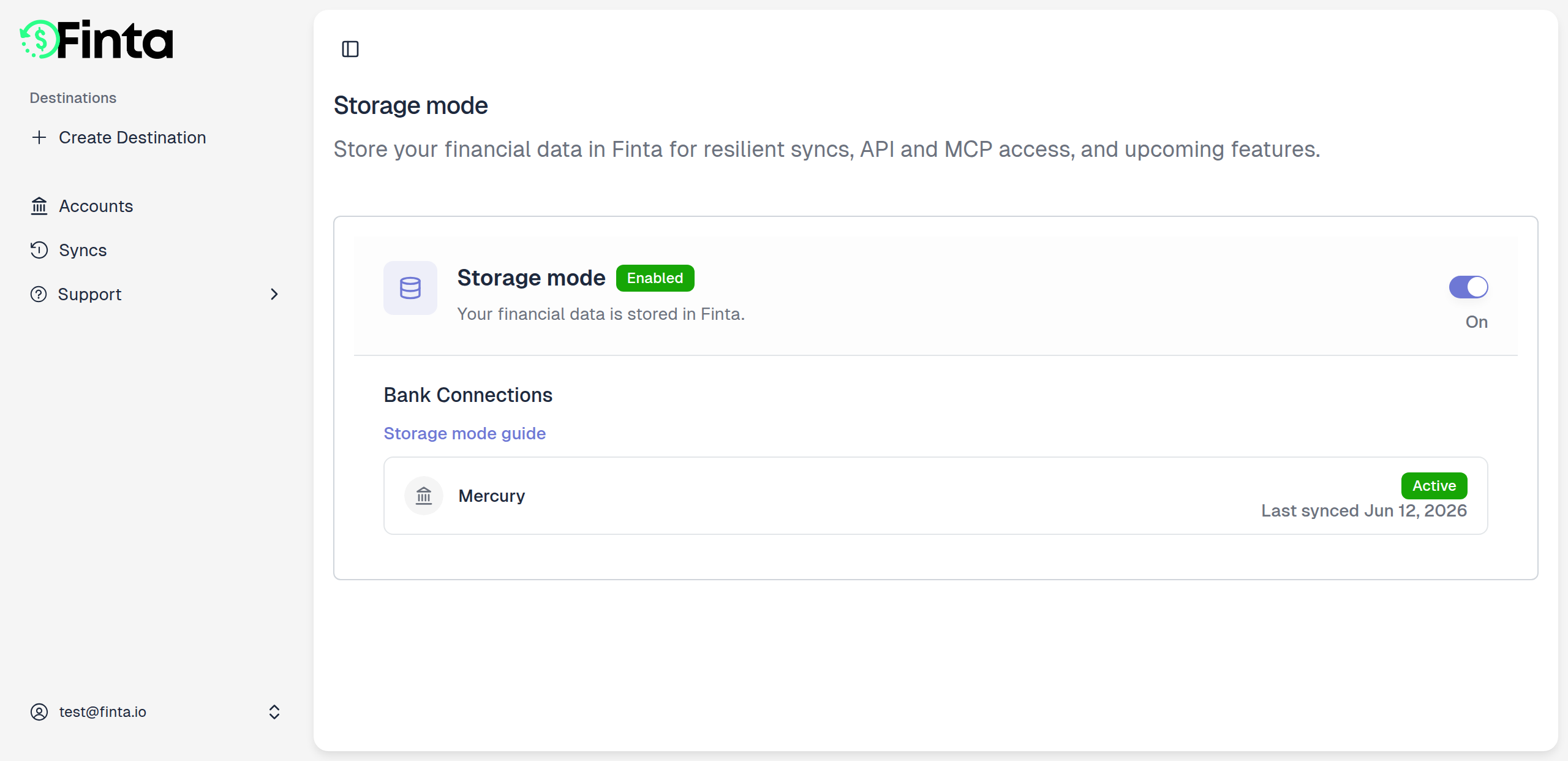
Finta can now keep a durable copy of your financial data — so your syncs stay resilient and your data is ready for the API and AI tools.
By default, Finta runs in pass-through mode: when a sync runs, we fetch your data from your bank or payment provider and push it straight to your destination, without holding onto anything in between. Storage mode changes that. Turn it on and Finta keeps a synced copy of your accounts, transactions, balances, and investments on our end.
What you can do
- Keep syncing through bank errors — when a connection has an issue or a provider has an outage, your last-known data is already stored, so your destinations stay up to date.
- Unlock programmatic and AI access — storage mode is the foundation for the Finta API and the new Finta MCP, which let tools and AI assistants read your data instantly.
- Watch your backfill in real time — flip it on and see each bank connection fill in, connection by connection.
- Stay in control — turn it off whenever you want. When you do, we hard-delete every stored record. No soft deletes, no leftovers.
Get started
Turn on storage mode from Settings → Data. Finta starts pulling in your history right away, and once the backfill finishes you're fully set up.
Read the storage mode guide for exactly what Finta stores and answers to common questions.
February 23rd, 2026
New
Never Lose a Rule Again
Accidentally deleted a rule you spent time perfecting? Now you can view all your archived rules and restore them with a click. Deleting a rule is no longer permanent — you're always one step away from bringing it back.
What's New
Archived Rules Tab
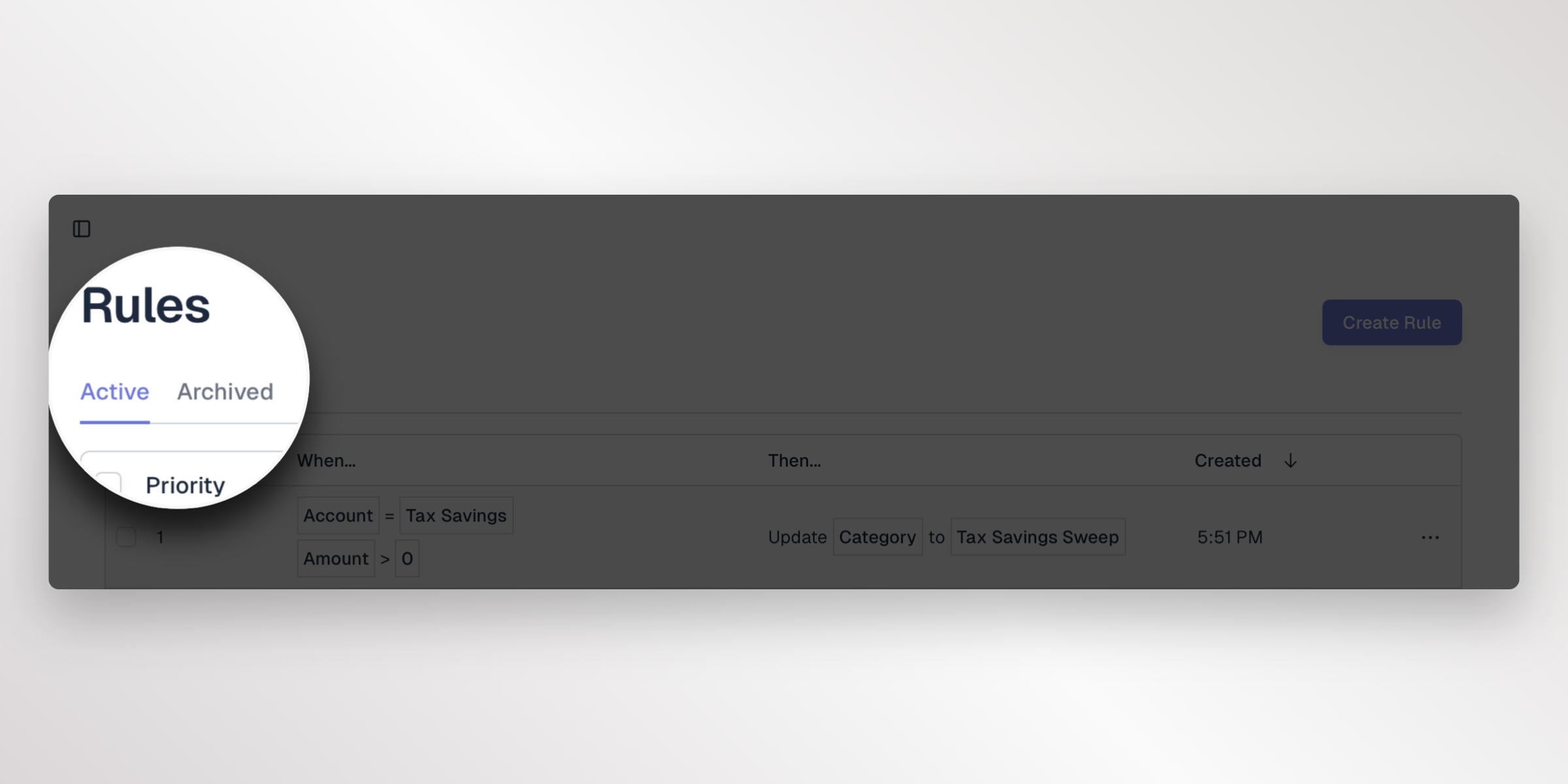
Your rules page now has an Archived tab that shows every rule you've previously deleted. Switch between active and archived views to see exactly what's been removed, so nothing gets lost.
Restore Rules
Found a rule you want back? You have two ways to restore:
- Single restore — Open the actions menu on any archived rule and select "Restore" to bring it back instantly
- Bulk restore — Select multiple archived rules and use the toolbar button to restore them all at once
Restored rules return to your active rules list and start applying to new syncs immediately.
Get Started
Head to your rules page and click the Archived tab to see your previously deleted rules. Restoring a rule is available now for all destinations that support rules.
February 23rd, 2026
Improved
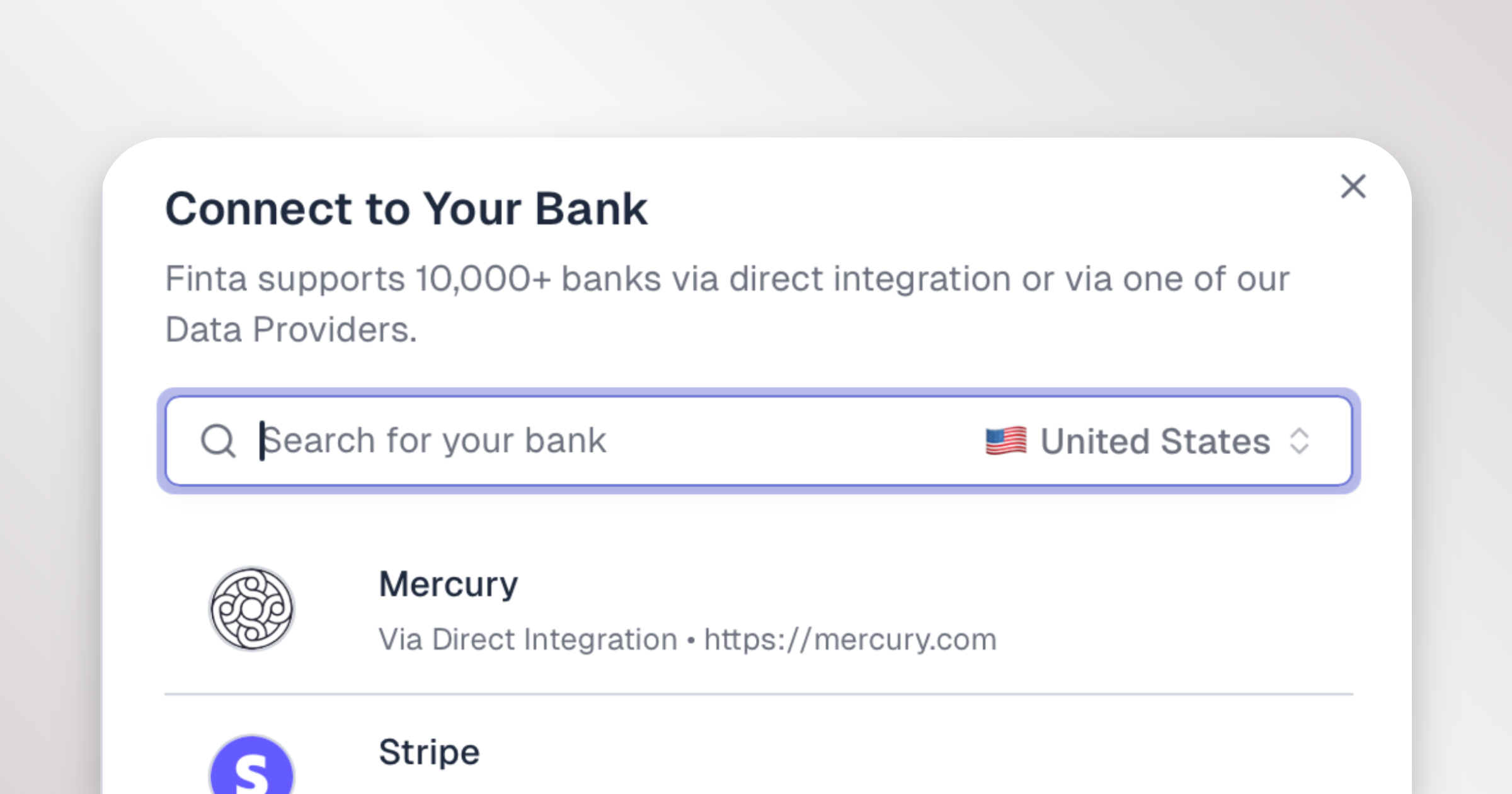
Mercury Now Syncs in Real Time
Your Mercury data no longer waits for the next scheduled refresh. When Mercury processes a transaction or updates an account balance, Finta picks it up automatically and syncs it to your destinations right away.
What's New
Real-Time Transaction Sync
Every time Mercury creates or updates a transaction, Finta receives a webhook and syncs the change to your destinations automatically. No more waiting hours for new transactions to appear.
Category Syncing
Mercury's transaction categories (like Software, Payroll, and Advertising) now sync to your destinations alongside your transactions. If Mercury recategorizes a transaction, Finta picks up the change on the next sync.
Balance Updates in Real Time
Checking, savings, treasury, and credit account balances now update the moment Mercury sends a balance event, not just during daily syncs.
Accurate Transaction Removal
Transactions that are cancelled, failed, reversed, or blocked are now properly removed from your destinations instead of staying behind.
Existing Mercury Users
If you connected Mercury before this update, you'll see an Enable Real-Time Sync button on your Mercury connection card. Click it to re-authorize with Mercury and turn on webhooks. It only takes a moment, and your connection will start syncing in real time right away.
January 25th, 2026
Improved
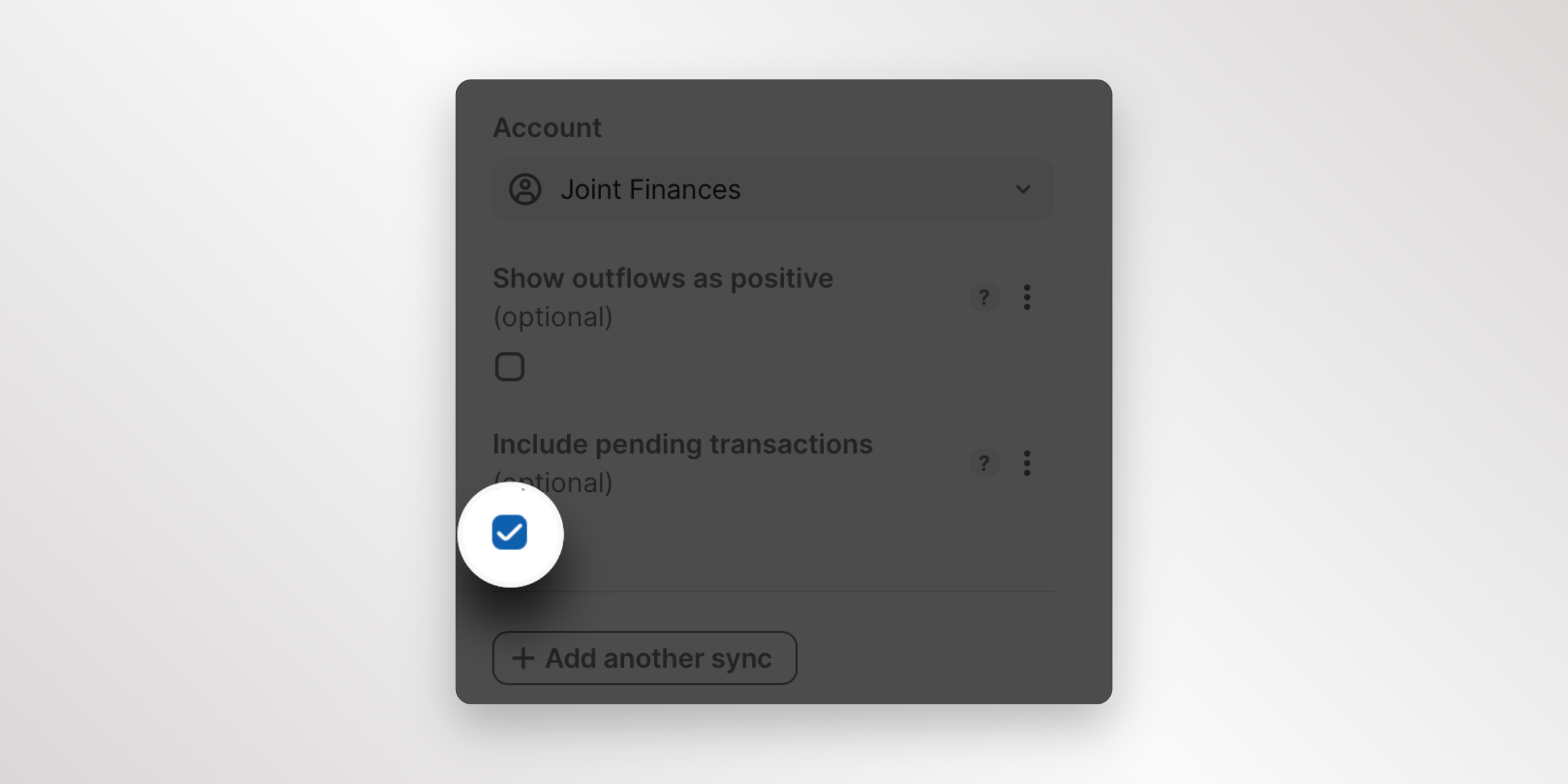
Filter Pending Transactions in Coda
Coda pack users now have more control over which transactions appear in their tables. You can now toggle whether pending transactions are included in your transactions table, making it easier to work with confirmed data or track everything in real-time.
What's New
Include Pending Transactions Toggle
When setting up your Finta Coda pack, you'll find a new option to include or exclude pending transactions from your transactions table. This gives you flexibility to:
- Show only confirmed transactions - Keep your Coda table clean by excluding pending transactions that haven't fully processed yet
- Track everything in real-time - Include pending transactions to see your most up-to-date financial picture
- Match your workflow - Choose the option that best fits how you manage and analyze your financial data
How It Works
When configuring your Finta Coda pack, simply toggle the "Include Pending Transactions" option on or off based on your preference. By default, this is set to true. Your transactions table will update to reflect only the transactions you want to see.
This setting works across all your connected accounts and can be changed at any time to match your current needs.
The pending transactions toggle is available now in the Coda pack settings (version 28+).
January 9th, 2026
New
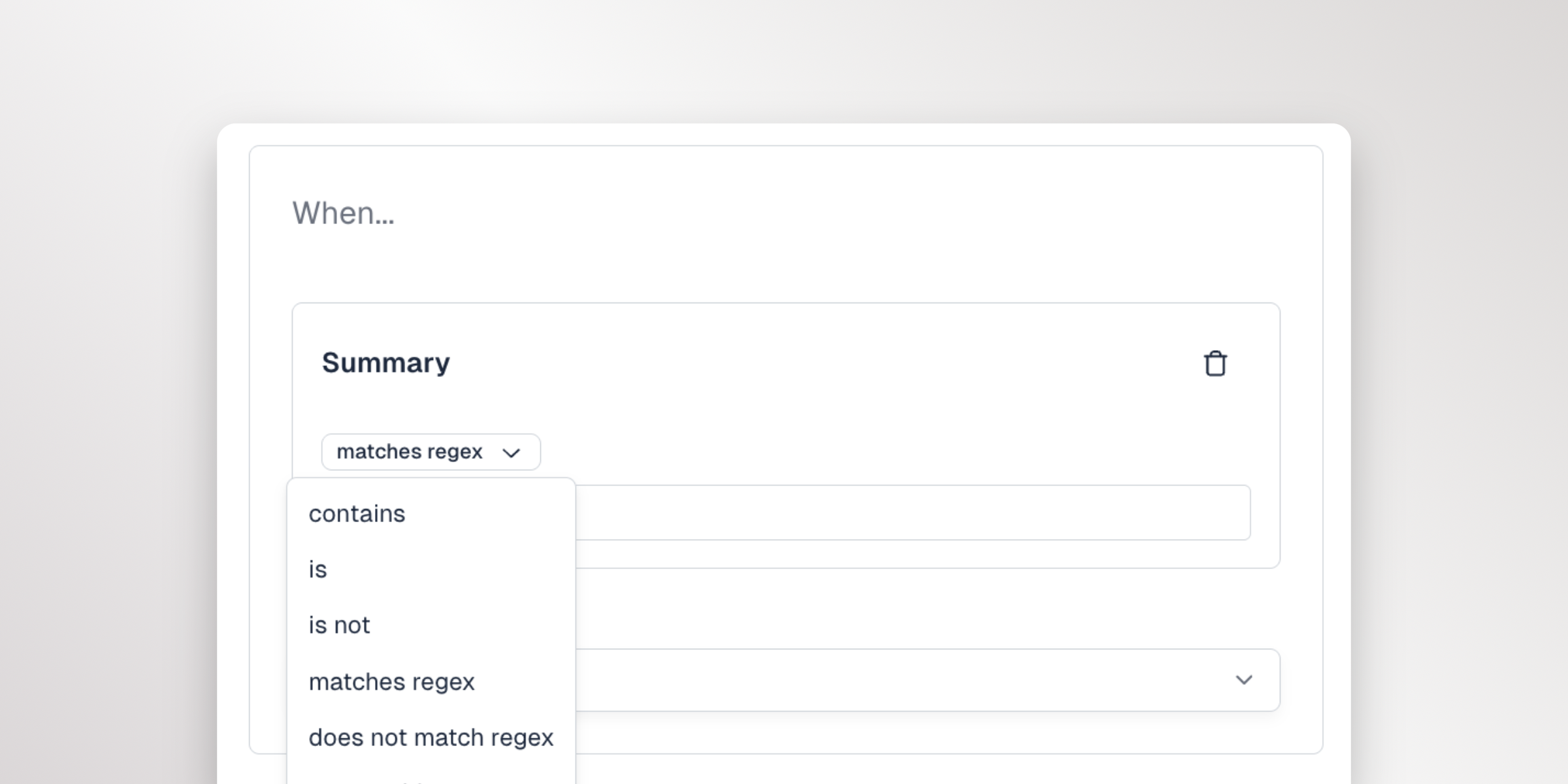
Powerful Pattern Matching for Your Rules
You can now use regular expressions (regex) in your Finta rules, giving you the flexibility to match complex patterns with a single rule instead of creating multiple rules for similar transactions.
What's New
New Rule Operators
Two new operators are available when creating rules:
- matches regex - Match transactions where the field value matches your pattern
- does not match regex - Match transactions where the field value does NOT match your pattern
These operators work with the Summary and Original Description fields.
Why This Matters
Previously, if you wanted to categorize all your coffee purchases, you'd need separate rules for "Starbucks", "Coffee Bean", "Peet's Coffee", and every other coffee shop. Now you can create a single rule:
Summary matches regex (Starbucks|Coffee Bean|Peet's|Dunkin)
This one rule will match transactions from any of those merchants, keeping your rules list clean and manageable.
More Examples
- Match any subscription:
(Netflix|Spotify|Hulu|Disney) - Match reference numbers:
REF-\d{6} - Match date patterns:
\d{2}/\d{2}/\d{4} - Match payment with optional reference:
payment(?:\s*#\d+)? - Match transaction IDs:
[A-Z]{2,3}-\d{4,}
All pattern matching is case-insensitive, so starbucks will match "STARBUCKS" and "Starbucks".
Get Started
Regex pattern matching is available now. When creating or editing a rule, select "matches regex" or "does not match regex" from the operator dropdown to start using pattern matching in your rules.
November 29th, 2025
New
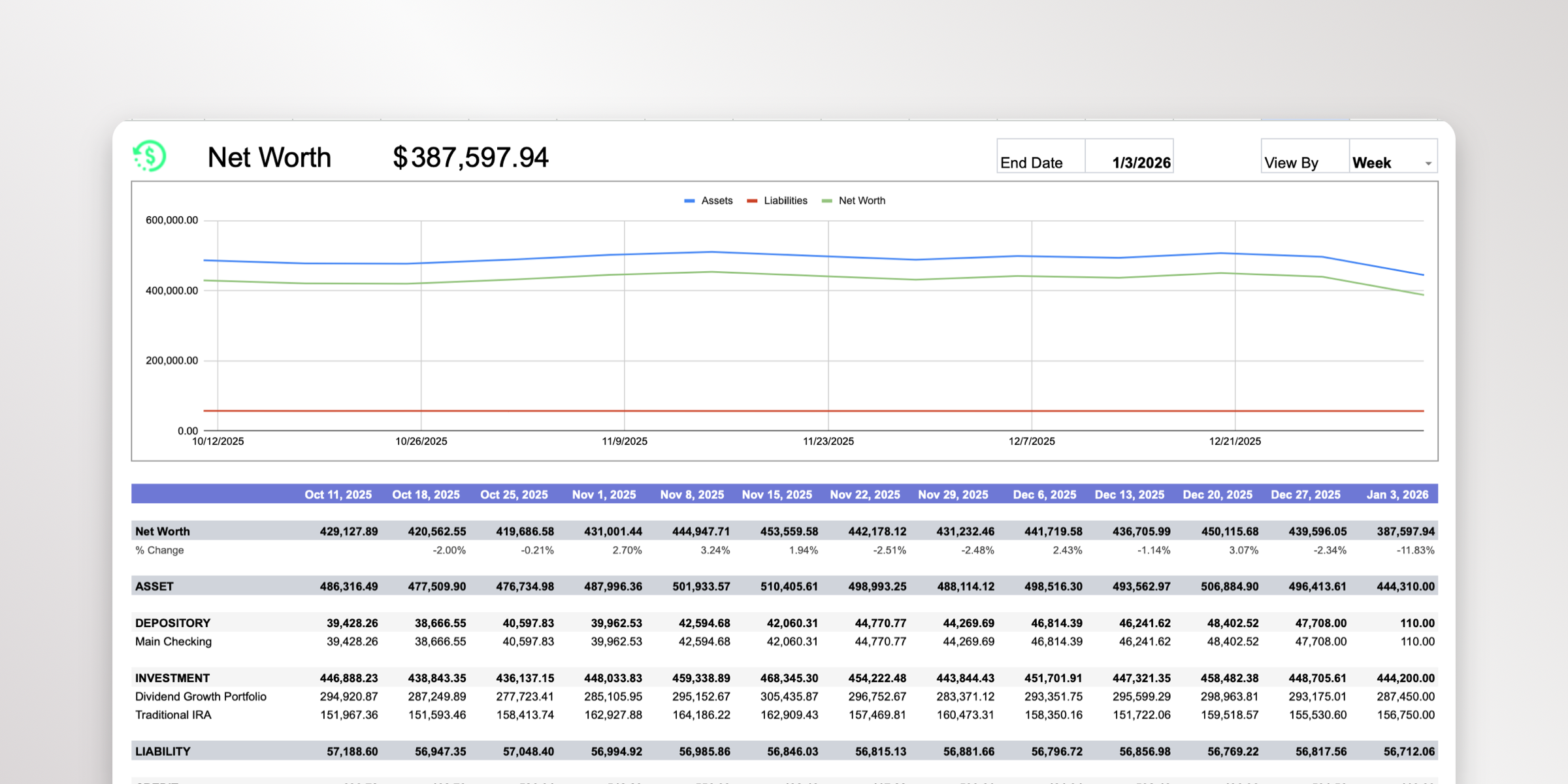
See Your Complete Balance History
We're excited to introduce Balance History tracking! Finta now automatically captures and syncs your daily account balances, giving you a historical record of how your accounts have changed over time.
What's New
Balance History Table
Every time your accounts sync, Finta now records the balance for each of your connected accounts. This data is synced to a new Balance History table in your destination, making it easy to:
- Track trends - See how your account balances have changed day over day, week over week, or month over month
- Build reports - Create charts and visualizations showing your net worth growth over time
- Analyze patterns - Identify spending patterns and savings trends across all your accounts
How It Works
Balance history is captured automatically for all your connected accounts. Each record includes:
- The account name and ID
- The balance amount
- The date the balance was recorded
The balance history table syncs alongside your existing Accounts table, keeping all your financial data in one place.
Get Started
Balance history tracking is available now for all Finta users. If you already have connected accounts, your balance history will start building automatically with each sync. Head to your destination to see the new Balance History table!
October 26th, 2025
New
Connect Mercury with One Click
Connecting your Mercury bank accounts to Finta just got so much easier! You no longer need to hunt down API keys or deal with complicated setup steps. Just click "Add Bank Connection", click "Mercury", sign in to your Mercury account, and you're done. It's faster, easier, and more secure.
What's Improved
Cleaner Bank Connection Experience
We've redesigned the bank connection screen to make it easier to find and connect your accounts. The new design features better search, clearer bank logos, and a simpler step-by-step process that guides you through each connection.
What's Been Fixed
- Account balances now update properly
- Fixed an issue where new transactions would overwrite existing data instead of adding to the bottom of your sheet
- Pending transactions from Mercury are updated
August 26th, 2025
New
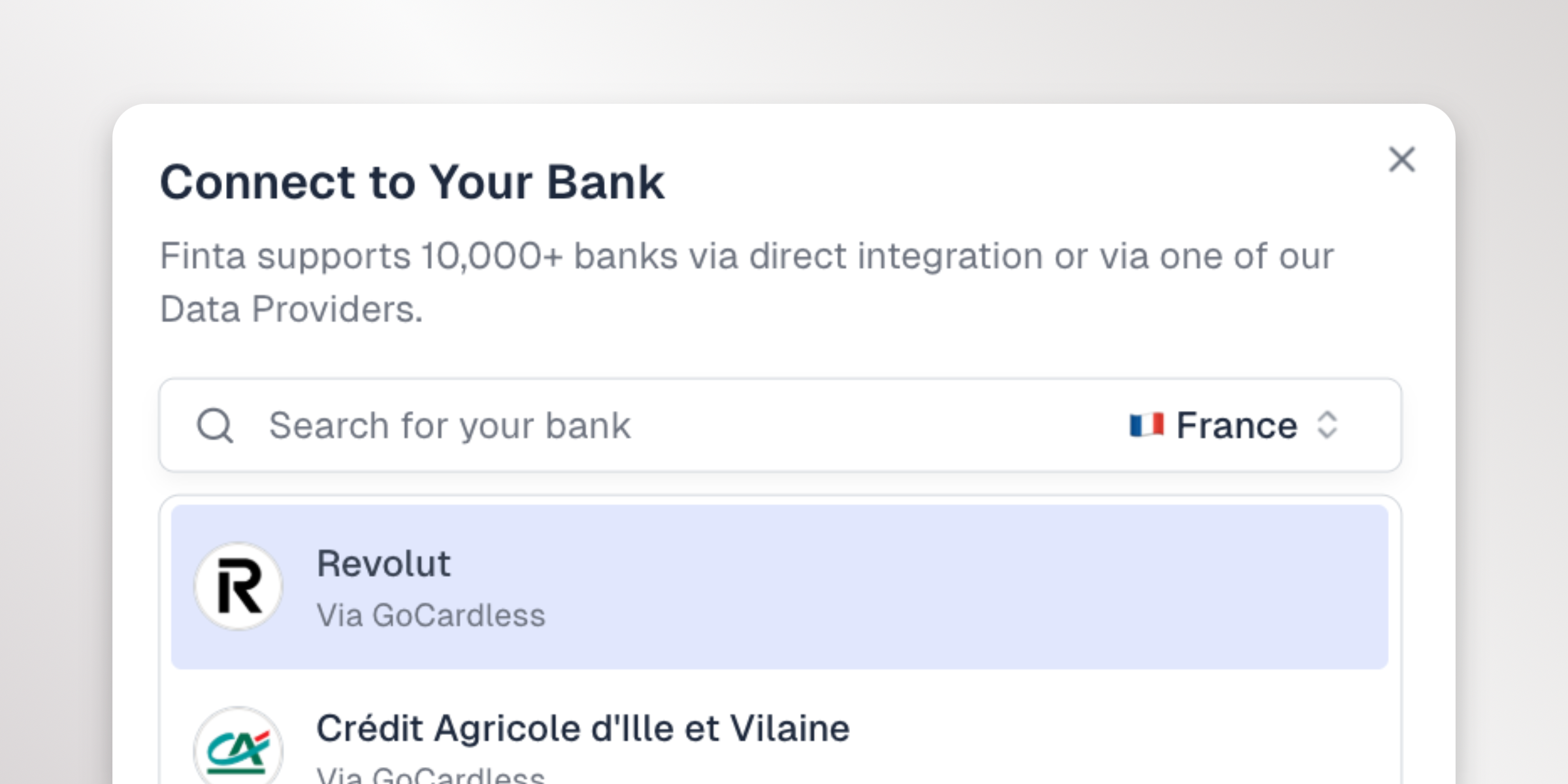
Connect Your European Bank Accounts
Great news for our international users - Finta now supports banks across Europe! Whether you're banking with Revolut, N26, or any of thousands of other European financial institutions, you can now sync your accounts and transactions to your favorite tools.
What's New
Thousands of European Banks Supported
Through our partnership with GoCardless, Finta now connects to banks across the European Union. This includes:
- Major digital banks like Revolut, N26, and Monzo
- Traditional banks across Germany, France, Spain, Italy, and more
- Nordic banks in Sweden, Norway, Denmark, and Finland
Same Great Experience
Connecting a European bank works just like connecting any other bank in Finta:
- Click "Add Bank Connection"
- Select your country
- Search for and select your bank
- Authorize the connection through your bank's secure portal
- Start syncing your accounts and transactions
Full Feature Support
European bank connections support all the Finta features you know and love:
- Automatic account and transaction syncing
- Sync to Airtable, Notion, Google Sheets, and Coda
- Customizable table configurations
- Real-time sync updates
Get Started
Head to your Finta dashboard, click "Add Bank Connection", and select your country to see the available banks. Your European accounts will sync alongside any existing US or Canadian connections, giving you a complete view of your finances in one place.
February 20th, 2025
New

Directly connect your Mercury bank account to Finta. The benefits of using the direct connection over our previous Plaid connection are:
The direct connection allows for unlimited history, you can sync as far back in time as you like. The Plaid connection is limited to the last three years
You can sync recent data with the direct connection. With Plaid, updates are sent on a daily schedule
The direct connection has better accuracy and less downtime
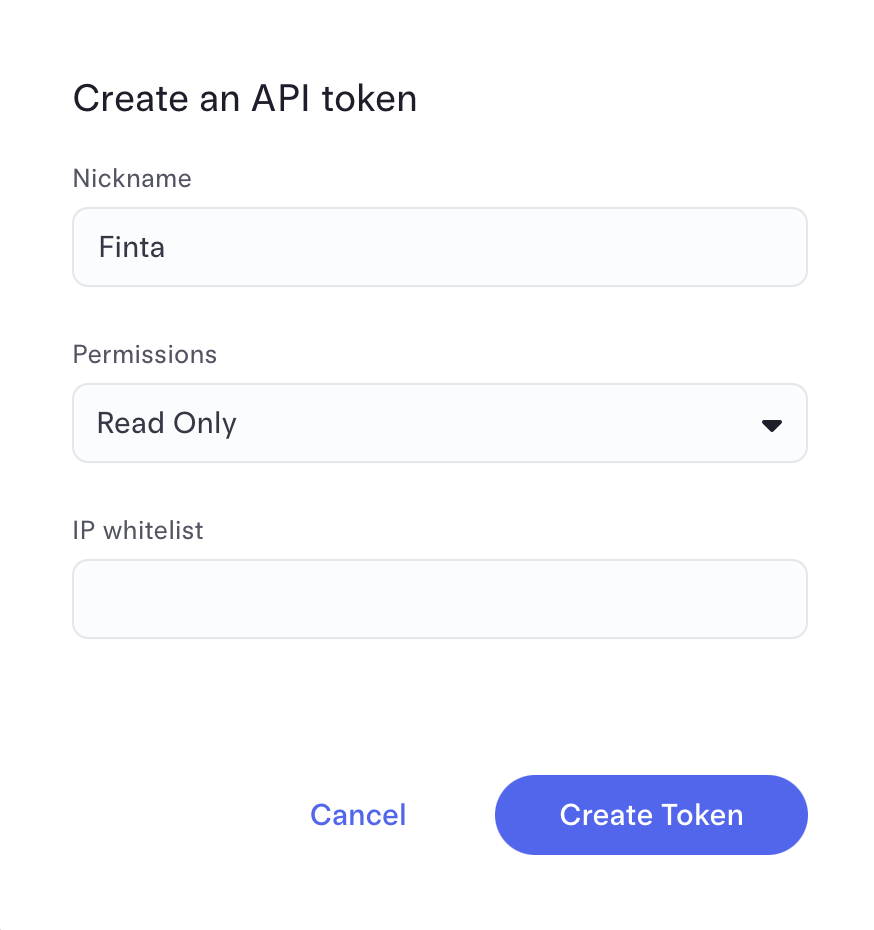
To get started, create an API token within your Mercury account. Then, head over to the Accounts page where you can set up your new bank connection.